Compact lot + expiry — 50×25 mm
Minimal label with lot number and expiry date only, to be applied at the end of production line.
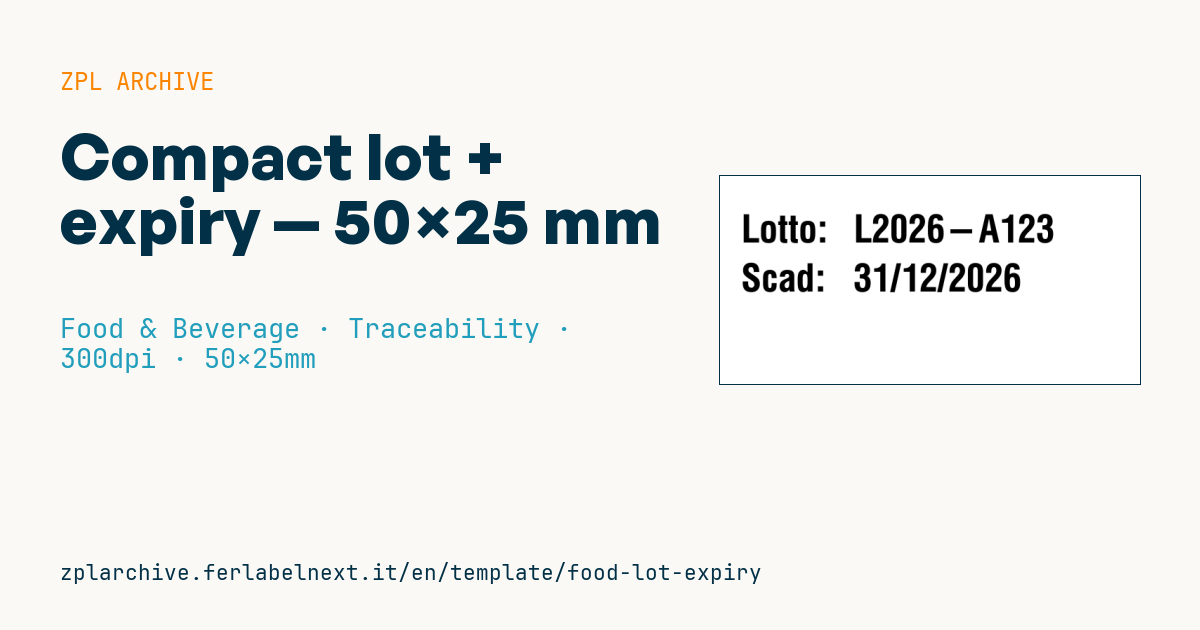
Lot + expiry
50×25 mm @ 300 dpi. Designed to be printed at high speed at end of production line. Text only, no barcode.
Placeholders
lot— lot codeexpiry—dd/mm/yyyy
When to use it
It is used at the end of the line, on printers or print-and-apply systems that mark freshly closed cases, trays or packs, when the rest of the mandatory information is already printed on the packaging. It is typical in dairies, pasta plants, packaged bakery and canned food, where the lot changes per shift or per batch and the date depends on the production day.
At 300 dpi and high speed the text stays sharp even in small sizes. For humid environments or cases going into cold storage choose a suitable face stock and adhesive; for long shelf-life products prefer thermal transfer.
Standards and requirements
The lot is required by Directive 2011/91/EU and is preceded by the letter "L" where it cannot be told apart from other information. The date must comply with Regulation (EU) 1169/2011: the statement ("use by" or "best before") must appear on the pack, followed by the date or by a reference to where the date is given, such as "see side". If this label only carries the values, the reference has to be part of the packaging artwork.
On fast lines use ^PR to set the speed and compensate for lower density with ^MD; with frequently changing data store the format with ^DF and recall it with ^XF, sending only lot and date.
Common mistakes
- Leaving the date without a statement and without a reference on the pack.
- Using a date format different from the one stated in the reference or artwork.
- Not updating the lot at shift change because the value is hard-coded in the format.
- Printing at top speed with low darkness: incomplete characters are a coding defect.
FAQ
Can the lot be any internal code?
Yes, it is set by the producer or packer, as long as it identifies the batch produced under practically the same conditions and lets you trace it back.
Is this label enough for a prepacked product?
No, it covers only lot and date; the other mandatory particulars must be on the packaging or on another label.
ZPL code
^XA
^PW591
^LL295
^CI28
^CF0,54^FO30,55^FDLotto:^FS
^FO190,55^FD{{lot}}^FS
^FO30,125^FDScad:^FS
^FO190,125^FD{{expiry}}^FS
^XZ- Industry: Food & Beverage
- Category: Traceability
- DPI: 300
- Size: 50×25 mm
- Tags: Compact, Expiry, Lot
What this label contains
Barcodes
This label contains no barcodes: it is made of text and graphics.
Elements
- 4 text fields
- 2 variable fields to fill in
Variable fields
| Field | Description | Example |
|---|---|---|
lot | Lot | L2026-A123 |
expiry | Expiry | 31/12/2026 |
Format and printing
50×25 mm (1.97×0.98″) at 300 dpi: 591×295 dots. Landscape.
Compatible Zebra printers
You need a printer with a 2″ printhead at 300 dpi, for example:
- Zebra ZD411 (desktop)
- Zebra ZD611 (desktop)
Any Zebra printer with a wider printhead and the same resolution works too.
The code is written for 300 dpi: on a printer with a different resolution the label prints larger or smaller and needs rescaling.
How to use it
- Open “Customize placeholders” and enter your data in the variable fields listed above.
- Check the preview: it is rendered from the same ZPL code you will send to the printer.
- Download the .zpl file or copy the code and send it to the printer: with “Print” through Zebra Browser Print, or as a raw file to port 9100 if the printer is on the network.
- Load 50×25 mm labels and make sure the printer is set to 300 dpi. For a different size use “Duplicate & edit” and adapt the layout in the builder.
Edit it in the editor
To change the layout, use “Duplicate & edit”: the template opens in the online ZPL editor, where you modify it and save it to your account for free.
Related templates
- Wine gift label with logo — 50×90 mm 300 dpi · Food & Beverage · Commercial label
- Beverage bottle label — 40×80 mm 300 dpi · Food & Beverage · Commercial label
- GS1 DataMatrix traceability — 30×30 mm 300 dpi · Food & Beverage · GS1 DataMatrix
- Cooking instructions label — 70×50 mm 203 dpi · Food & Beverage · Commercial label
- Food label with allergens — 70×100 mm 300 dpi · Food & Beverage · Commercial label
- Price per kg label — 50×40 mm 203 dpi · Food & Beverage · Commercial label
- Best-before date label — 50×30 mm 203 dpi · Food & Beverage · Traceability
- Artisan jam label with logo — 50×60 mm 203 dpi · Food & Beverage · Commercial label