Patient wristband — 200×25 mm
Patient ID wristband for hospital admission: name, ID, DOB, blood group, ward, barcode for medication scan.
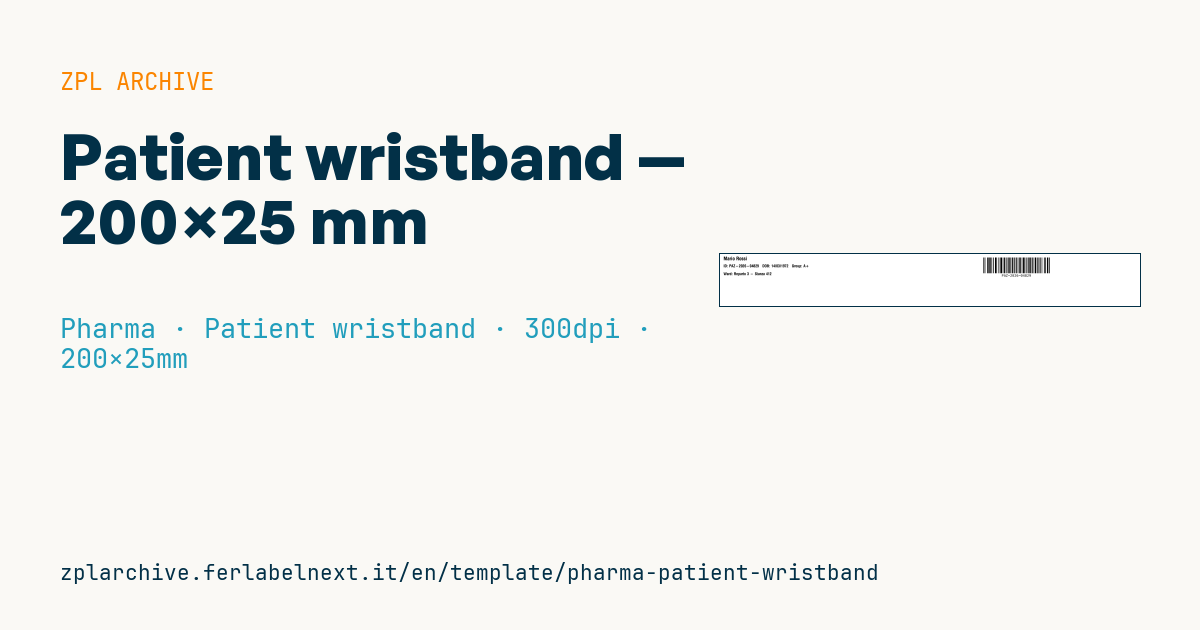
Patient wristband
200×25 mm @ 300 dpi (standard thermal TYVEK wristband size). Barcode on the right to be scannable without rotating the wrist.
Placeholders
patient_namepatient_id— unique patient id (also barcode)birth_date—dd/mm/yyyyblood_group— e.g.A+,0-ward— ward and room
When to use it
This is the adult wristband for inpatient wards, emergency departments and day hospitals, printed at admission on dedicated desktop printers using wristband cartridges or rolls. The linear barcode carrying the patient ID is what the bedside medication administration system (closed loop, BCMA) reads, and it is used to match patient, tubes and blood bags.
The stock is a direct thermal wristband material with a coating that withstands showers, disinfectants and rubbing: it must stay readable until discharge. Newborns and children need shorter formats.
Standards and requirements
No single standard sets the layout: patient safety practice requires at least two identifiers, such as name and date of birth, checked before every procedure. If your facility uses GS1 Healthcare, the patient ID can be a GSRN with AI (8018) in GS1-128. Printing the blood group on the band is an organisational choice and never replaces pre-transfusion testing, so check your transfusion service's policy before printing it.
For a numeric ID with an even number of digits, Code 128 subset C (>;) halves the symbol width; with ^BY keep a module the ward scanners can read.
Common mistakes
- A barcode so wide that it wraps around the wrist and the scanner sees only part of it.
- Bars too short: with the wrist turned, the scan line does not cross all the bars.
- Printing the blood group from unvalidated or historical data.
- Using a date-of-birth format different from the ward systems.
FAQ
Why is the barcode on the right?
So that it sits on the back of the wrist when the band is closed and can be scanned without the patient rotating the arm.
How long does direct thermal print last on a wristband?
Wristband materials are designed for days or weeks of stay; for long admissions check the data sheet and reprint if the code degrades.
ZPL code
^XA
^PW2362
^LL295
^CI28
^CF0,28^FO20,15^FD{{patient_name}}^FS
^CF0,22^FO20,60^FDID: {{patient_id}}   DOB: {{birth_date}}   Group: {{blood_group}}^FS
^FO20,105^FDWard: {{ward}}^FS
^BY2,2,90
^FO1500,20^BCN,90,Y,N,N^FD{{patient_id}}^FS
^XZ- Industry: Pharma
- Category: Patient wristband
- DPI: 300
- Size: 200×25 mm
- Tags: Code 128
What this label contains
Barcodes
- Code 128
- High-density linear barcode that encodes the full ASCII set: ideal for tracking numbers, internal codes and alphanumeric IDs.
Elements
- 3 text fields
- 5 variable fields to fill in
Variable fields
| Field | Description | Example |
|---|---|---|
patient_name | Patient name | Mario Rossi |
patient_id | Patient id | PAZ-2026-04829 |
birth_date | Date of birth | 14/03/1972 |
blood_group | Blood group | A+ |
ward | Ward | Reparto 3 - Stanza 412 |
Format and printing
200×25 mm (7.87×0.98″) at 300 dpi: 2362×295 dots. Landscape.
Compatible Zebra printers
You need a printer with a 8″ printhead at 300 dpi, for example:
- Zebra 220Xi4 (industrial)
The code is written for 300 dpi: on a printer with a different resolution the label prints larger or smaller and needs rescaling.
How to use it
- Open “Customize placeholders” and enter your data in the variable fields listed above.
- Check the preview: it is rendered from the same ZPL code you will send to the printer.
- Download the .zpl file or copy the code and send it to the printer: with “Print” through Zebra Browser Print, or as a raw file to port 9100 if the printer is on the network.
- Load 200×25 mm labels and make sure the printer is set to 300 dpi. For a different size use “Duplicate & edit” and adapt the layout in the builder.
Edit it in the editor
To change the layout, use “Duplicate & edit”: the template opens in the online ZPL editor, where you modify it and save it to your account for free.
Related templates
- GS1 DataMatrix pharma — 25×10 mm (600 dpi) 600 dpi · Pharma · GS1 DataMatrix
- Patient check-in & appointment ticket — 80×150 mm 203 dpi · Pharma · Patient check-in & flow
- UDI medical device — 50×30 mm 300 dpi · Pharma · Drug packaging
- GS1 serialization DataMatrix — 40×25 mm 300 dpi · Pharma · GS1 DataMatrix
- Sample tube Aztec — 25×25 mm 300 dpi · Pharma · Lab samples
- Lab sample — 70×40 mm 300 dpi · Pharma · Lab samples
- Prescription label — 70×40 mm 203 dpi · Pharma · Drug packaging
- Sterile medical lot — 60×40 mm 300 dpi · Pharma · Drug packaging