Patient ID wristband — 80×25 mm
Patient ID wristband with a QR to the medical record, name, ID, date of birth, ward and admission. Wide format for the wrist.
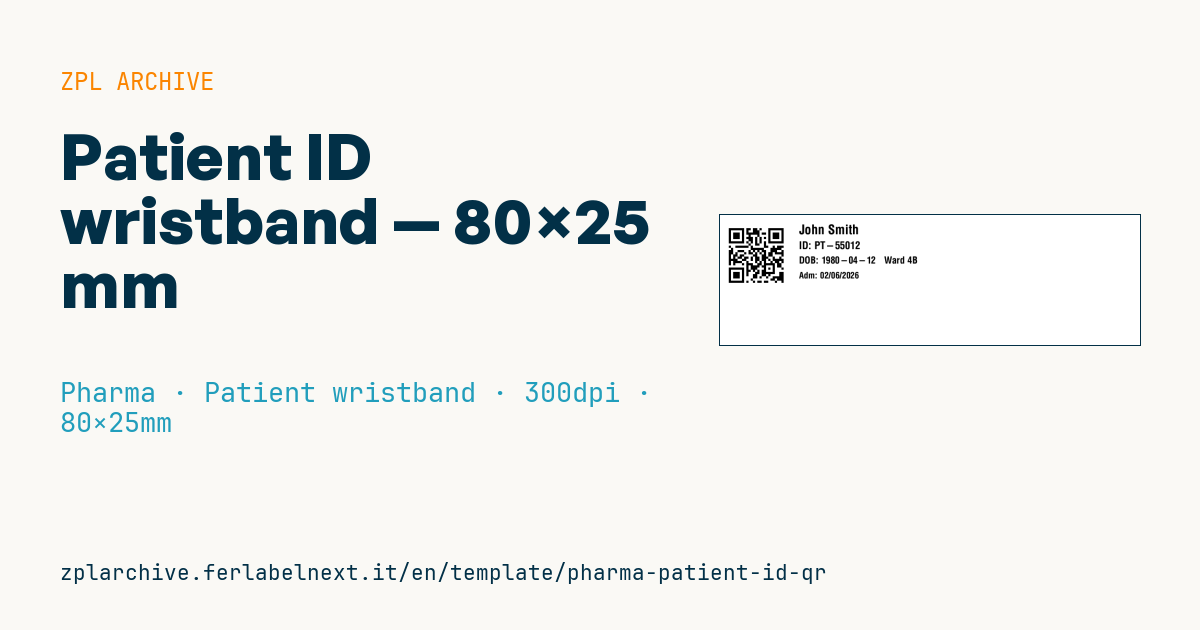
Patient ID wristband
80×25 mm @ 300 dpi (wide, for the wrist). QR on the left (link to the medical record), on the right name, ID, date of birth + ward, admission.
Placeholders
patient_url— medical record URLpatient_name— patient namepatient_id— patient IDdob— date of birthward— wardadmission— admission/notes
When to use it
This wristband is printed at registration or admission and stays with the patient for the whole stay: nurses and doctors scan it before giving medication, drawing blood, starting a transfusion or opening the electronic health record on a tablet or handheld. The QR lets staff open the patient record with a hospital smartphone or a 2D scanner.
The stock is a dedicated wristband material, usually direct thermal synthetic with a protective coating, which must withstand water, soap, alcohol gel and rubbing for days. Do not use ordinary label paper.
Standards and requirements
No single standard defines the wristband layout: patient safety practice, including hospital accreditation schemes, requires at least two identifiers checked before every clinical act. GS1 Healthcare provides the GSRN with AI (8018) to identify the patient if your facility adopts GS1 standards. The QR should not carry clinical data in clear: a URL with a token that requires authentication is better (GDPR).
For the QR use ^BQN,2 with error correction M or Q, because the band bends and gets dirty.
Common mistakes
- Encoding the patient's name or national ID in the URL, readable by anyone who scans it.
- Placing the QR too close to the edge, so the outer part is missed on a curved wrist.
- Printing the date of birth in an ambiguous format (01/02 vs 02/01) for staff from other countries.
- Reprinting the band without removing the old one, leaving two different identifiers.
FAQ
Does the QR read on a curved wrist?
Yes, if the symbol is small relative to the curvature and keeps its quiet zone; test reading with the band closed, not flat.
QR or linear barcode?
The QR holds more data and tolerates curvature better; make sure every scanner on the ward reads 2D codes.
ZPL code
^XA
^PW945
^LL295
^CI28
^FO20,20^BQN,2,5^FDLA,{{patient_url}}^FS
^CF0,30^FO180,22^FD{{patient_name}}^FS
^CF0,24^FO180,60^FDID: {{patient_id}}^FS
^CF0,22^FO180,95^FDDOB: {{dob}}   {{ward}}^FS
^CF0,20^FO180,130^FD{{admission}}^FS
^XZ- Industry: Pharma
- Category: Patient wristband
- DPI: 300
- Size: 80×25 mm
- Tags: Patient, Pharma, QR Code, Traceability
What this label contains
Barcodes
- QR Code
- 2D code for links, text and structured data, readable by any smartphone.
Elements
- 4 text fields
- 6 variable fields to fill in
Variable fields
| Field | Description | Example |
|---|---|---|
patient_url | Record URL | https://emr.example/p/55012 |
patient_name | Patient | John Smith |
patient_id | Patient ID | PT-55012 |
dob | DOB | 1980-04-12 |
ward | Ward | Ward 4B |
admission | Admission | Adm: 02/06/2026 |
Format and printing
80×25 mm (3.15×0.98″) at 300 dpi: 945×295 dots. Landscape.
Compatible Zebra printers
You need a printer with a 4″ printhead at 300 dpi, for example:
- Zebra ZD421 (desktop)
- Zebra ZD621 (desktop)
- Zebra ZT231 (industrial)
- Zebra ZT411 (industrial)
- Zebra ZT610 (industrial)
Any Zebra printer with a wider printhead and the same resolution works too.
The code is written for 300 dpi: on a printer with a different resolution the label prints larger or smaller and needs rescaling.
How to use it
- Open “Customize placeholders” and enter your data in the variable fields listed above.
- Check the preview: it is rendered from the same ZPL code you will send to the printer.
- Download the .zpl file or copy the code and send it to the printer: with “Print” through Zebra Browser Print, or as a raw file to port 9100 if the printer is on the network.
- Load 80×25 mm labels and make sure the printer is set to 300 dpi. For a different size use “Duplicate & edit” and adapt the layout in the builder.
Edit it in the editor
To change the layout, use “Duplicate & edit”: the template opens in the online ZPL editor, where you modify it and save it to your account for free.
Related templates
- GS1 DataMatrix pharma — 25×10 mm (600 dpi) 600 dpi · Pharma · GS1 DataMatrix
- Patient check-in & appointment ticket — 80×150 mm 203 dpi · Pharma · Patient check-in & flow
- UDI medical device — 50×30 mm 300 dpi · Pharma · Drug packaging
- Sample tube Aztec — 25×25 mm 300 dpi · Pharma · Lab samples
- GS1 serialization DataMatrix — 40×25 mm 300 dpi · Pharma · GS1 DataMatrix
- Lab sample — 70×40 mm 300 dpi · Pharma · Lab samples
- Patient wristband — 200×25 mm 300 dpi · Pharma · Patient wristband
- Prescription label — 70×40 mm 203 dpi · Pharma · Drug packaging