Food nutrition label — 70×100 mm
Nutritional values table per 100 g compliant with EU reg. 1169/2011: energy, fat, carbs, fiber, protein, salt.
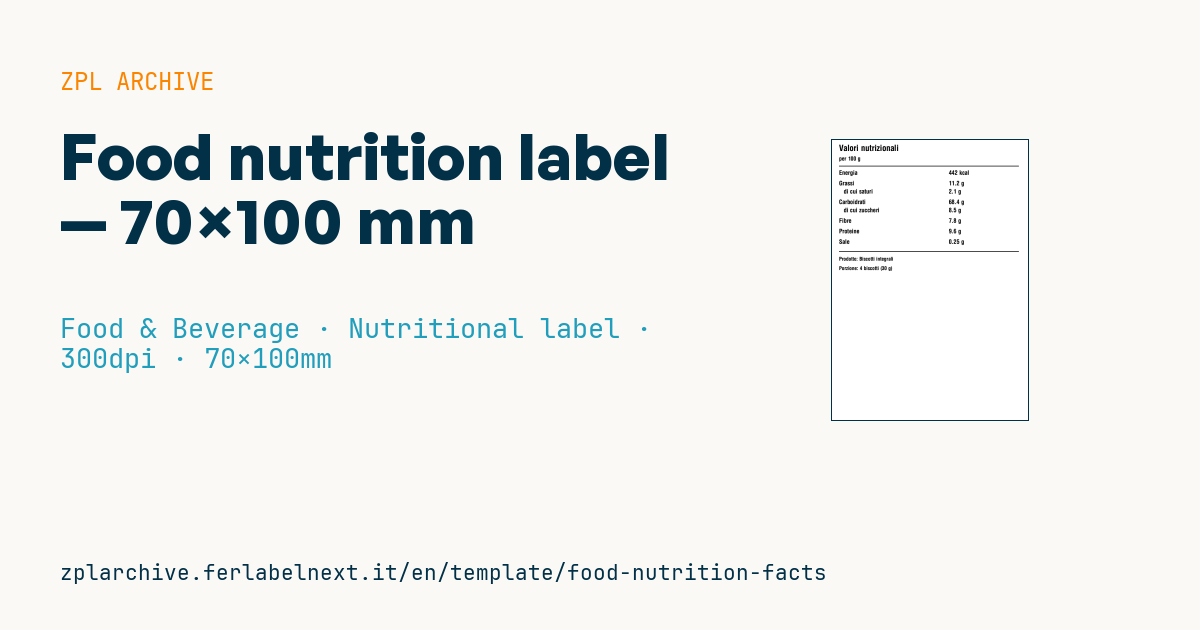
Nutritional values table
70×100 mm @ 300 dpi. Compliant with EU regulation 1169/2011 (annex XV).
Placeholders
Values always per 100 g of product:
kcal— energyfat_g,saturated_g— fat and of which saturatedcarbs_g,sugars_g— carbs and of which sugarsfiber_g— fiberprotein_g— proteinsalt_g— saltproduct_name,serving_size— descriptive
When to use it
Artisan producers, small plants and co-packers use it when the nutrition table is not pre-printed on the packaging: small batches, seasonal lines, private labels in their early stages or plain packs that get a data label on the back. It goes on boxes, bags or jars next to the ingredients list and must stay legible for the whole shelf life, so choose thermal transfer for long-life products.
Standards and requirements
Regulation (EU) 1169/2011 sets the content and order of the declaration: energy, fat, of which saturates, carbohydrate, of which sugars, protein and salt, always per 100 g or 100 ml. Fibre is optional and goes after carbohydrate. Energy must be given in both kJ and kcal: the template only has kcal, so add the kJ value. Salt is calculated as sodium × 2.5. The tabular format is the rule; the linear format is allowed only where space is lacking. The minimum x-height is 1.2 mm, reduced to 0.9 mm if the largest surface of the pack is under 80 cm².
Values may come from analysis, from calculation using known ingredient data, or from generally established data; for rounding and tolerances follow the European Commission guidance.
Common mistakes
- Showing kcal only, without kJ.
- Changing the order of the nutrients or replacing "salt" with "sodium".
- Giving values per portion without the values per 100 g.
- Printing type too small at 300 dpi: measure the printed x-height, not the nominal font height.
FAQ
Which products are exempt from the nutrition table?
Annex V exempts, for example, unprocessed single-ingredient products, waters, spices, packs whose largest surface is under 25 cm² and small quantities supplied directly by the producer to the consumer or to local retail. Check that your case really qualifies.
Can I also show values per portion?
Yes, in addition to the values per 100 g, stating the portion clearly and the number of portions in the pack.
ZPL code
^XA
^PW827
^LL1181
^CI28
^CF0,36^FO30,20^FDValori nutrizionali^FS
^CF0,24^FO30,70^FDper 100 g^FS
^FO30,110^GB770,3,3^FS
^CF0,26
^FO30,130^FDEnergia^FS                ^FO500,130^FD{{kcal}} kcal^FS
^FO30,175^FDGrassi^FS                 ^FO500,175^FD{{fat_g}} g^FS
^FO50,210^FDdi cui saturi^FS         ^FO500,210^FD{{saturated_g}} g^FS
^FO30,255^FDCarboidrati^FS            ^FO500,255^FD{{carbs_g}} g^FS
^FO50,290^FDdi cui zuccheri^FS       ^FO500,290^FD{{sugars_g}} g^FS
^FO30,335^FDFibre^FS                  ^FO500,335^FD{{fiber_g}} g^FS
^FO30,380^FDProteine^FS               ^FO500,380^FD{{protein_g}} g^FS
^FO30,425^FDSale^FS                   ^FO500,425^FD{{salt_g}} g^FS
^FO30,475^GB770,3,3^FS
^CF0,22
^FO30,500^FDProdotto: {{product_name}}^FS
^FO30,540^FDPorzione: {{serving_size}}^FS
^XZ- Industry: Food & Beverage
- Category: Nutritional label
- DPI: 300
- Size: 70×100 mm
- Tags: Compliance 2024, Nutrition facts
What this label contains
Barcodes
This label contains no barcodes: it is made of text and graphics.
Elements
- 20 text fields
- 10 variable fields to fill in
- boxes and separator lines
Variable fields
| Field | Description | Example |
|---|---|---|
kcal | Energy kcal | 442 |
fat_g | Fat g | 11.2 |
saturated_g | Saturated g | 2.1 |
carbs_g | Carbs g | 68.4 |
sugars_g | Sugars g | 8.5 |
fiber_g | Fiber g | 7.8 |
protein_g | Protein g | 9.6 |
salt_g | Salt g | 0.25 |
product_name | Product | Biscotti integrali |
serving_size | Serving | 4 biscotti (30 g) |
Format and printing
70×100 mm (2.76×3.94″) at 300 dpi: 827×1181 dots. Portrait.
Compatible Zebra printers
You need a printer with a 4″ printhead at 300 dpi, for example:
- Zebra ZD421 (desktop)
- Zebra ZD621 (desktop)
- Zebra ZT231 (industrial)
- Zebra ZT411 (industrial)
- Zebra ZT610 (industrial)
Any Zebra printer with a wider printhead and the same resolution works too.
The code is written for 300 dpi: on a printer with a different resolution the label prints larger or smaller and needs rescaling.
How to use it
- Open “Customize placeholders” and enter your data in the variable fields listed above.
- Check the preview: it is rendered from the same ZPL code you will send to the printer.
- Download the .zpl file or copy the code and send it to the printer: with “Print” through Zebra Browser Print, or as a raw file to port 9100 if the printer is on the network.
- Load 70×100 mm labels and make sure the printer is set to 300 dpi. For a different size use “Duplicate & edit” and adapt the layout in the builder.
Edit it in the editor
To change the layout, use “Duplicate & edit”: the template opens in the online ZPL editor, where you modify it and save it to your account for free.
Related templates
- Wine gift label with logo — 50×90 mm 300 dpi · Food & Beverage · Commercial label
- Beverage bottle label — 40×80 mm 300 dpi · Food & Beverage · Commercial label
- Food label with allergens — 70×100 mm 300 dpi · Food & Beverage · Commercial label
- GS1 DataMatrix traceability — 30×30 mm 300 dpi · Food & Beverage · GS1 DataMatrix
- Cooking instructions label — 70×50 mm 203 dpi · Food & Beverage · Commercial label
- Price per kg label — 50×40 mm 203 dpi · Food & Beverage · Commercial label
- Artisan jam label with logo — 50×60 mm 203 dpi · Food & Beverage · Commercial label
- Compact lot + expiry — 50×25 mm 300 dpi · Food & Beverage · Traceability